Turning an App Idea Into a Clear MVP Workflow
Once you have a problem worth solving, the next step is not to build every feature you can imagine. The next step is to turn the idea into a clear workflow.
A good workflow shows what the user needs to do, what the app needs to handle, and what the first stable version should include.
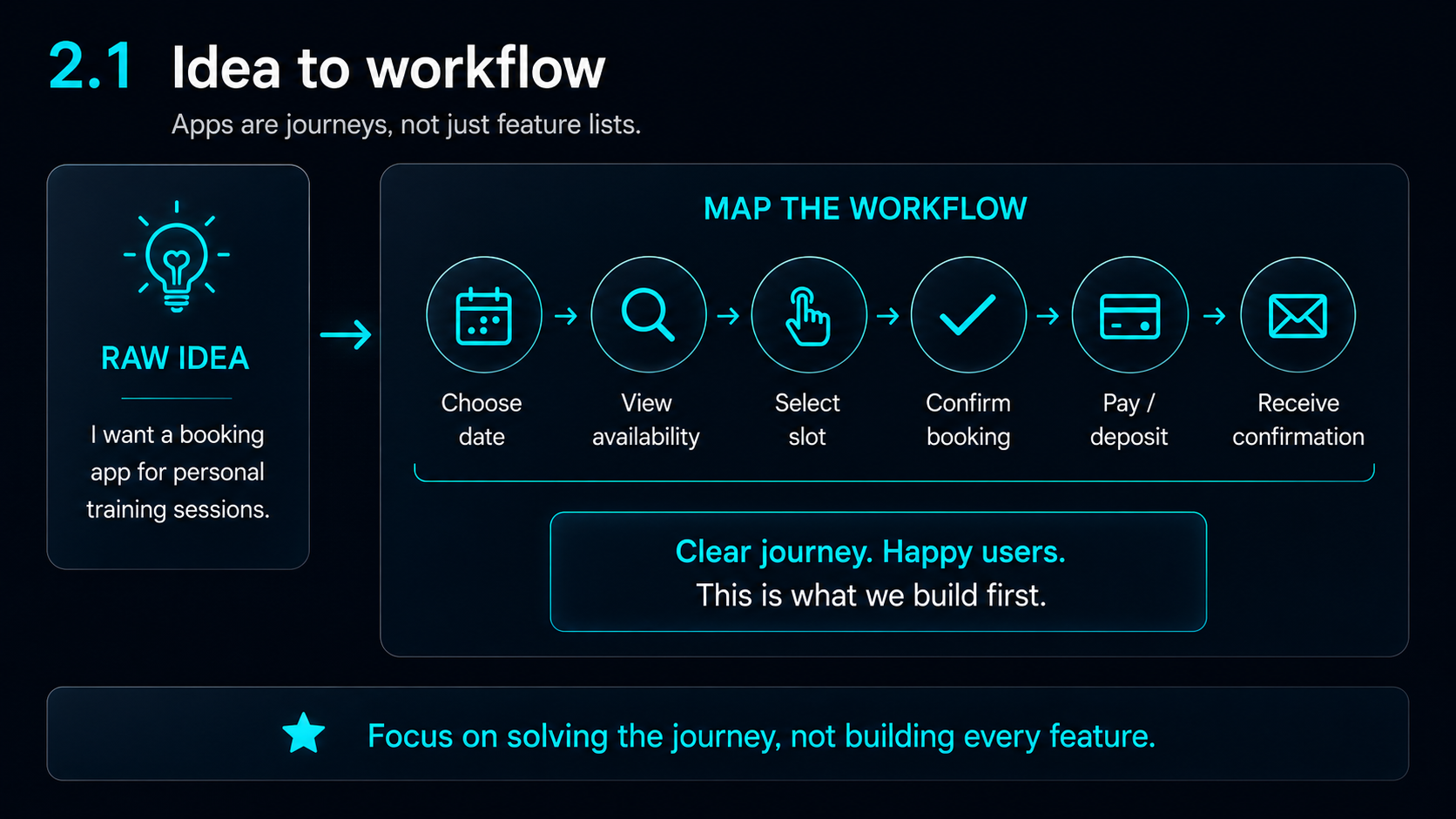
Before asking AI to build screens or write code, map the journey.
What is an MVP?
MVP stands for Minimum Viable Product.
An MVP is not a poor-quality version of the app. It is the smallest stable version that proves the main workflow works.
Can this app solve the core problem in a simple, usable and testable way?
An MVP should be:
- Small enough to build
- Stable enough to test
- Useful enough to explain
- Focused enough to avoid feature overload
The purpose of the MVP is not to impress everyone. It is to prove that the main idea works.
Apps are workflows, not just feature lists
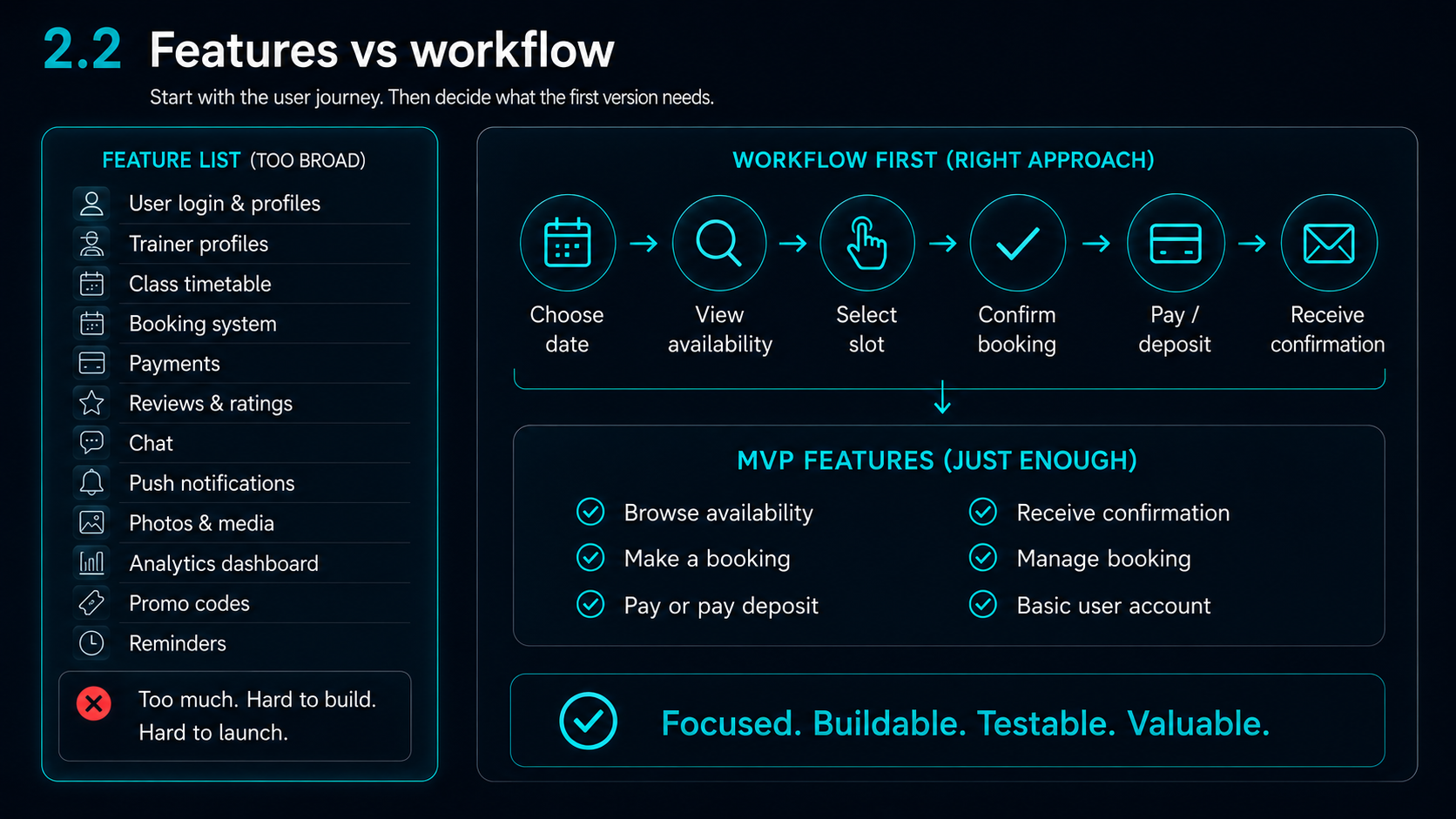
A feature list can make an app look more impressive than it really is. The problem is that features do not automatically create a usable product.
A workflow shows the actual journey.
For example, a booking app is not just “booking”. The user may need to choose a date, view availability, select a slot, confirm the booking, pay or pay a deposit, receive confirmation, and later cancel or amend the booking.
That journey is what the app needs to support.
A clear workflow helps you decide what belongs in the first version and what can wait.
Separate must-have from nice-to-have
This is where many app ideas become too large.
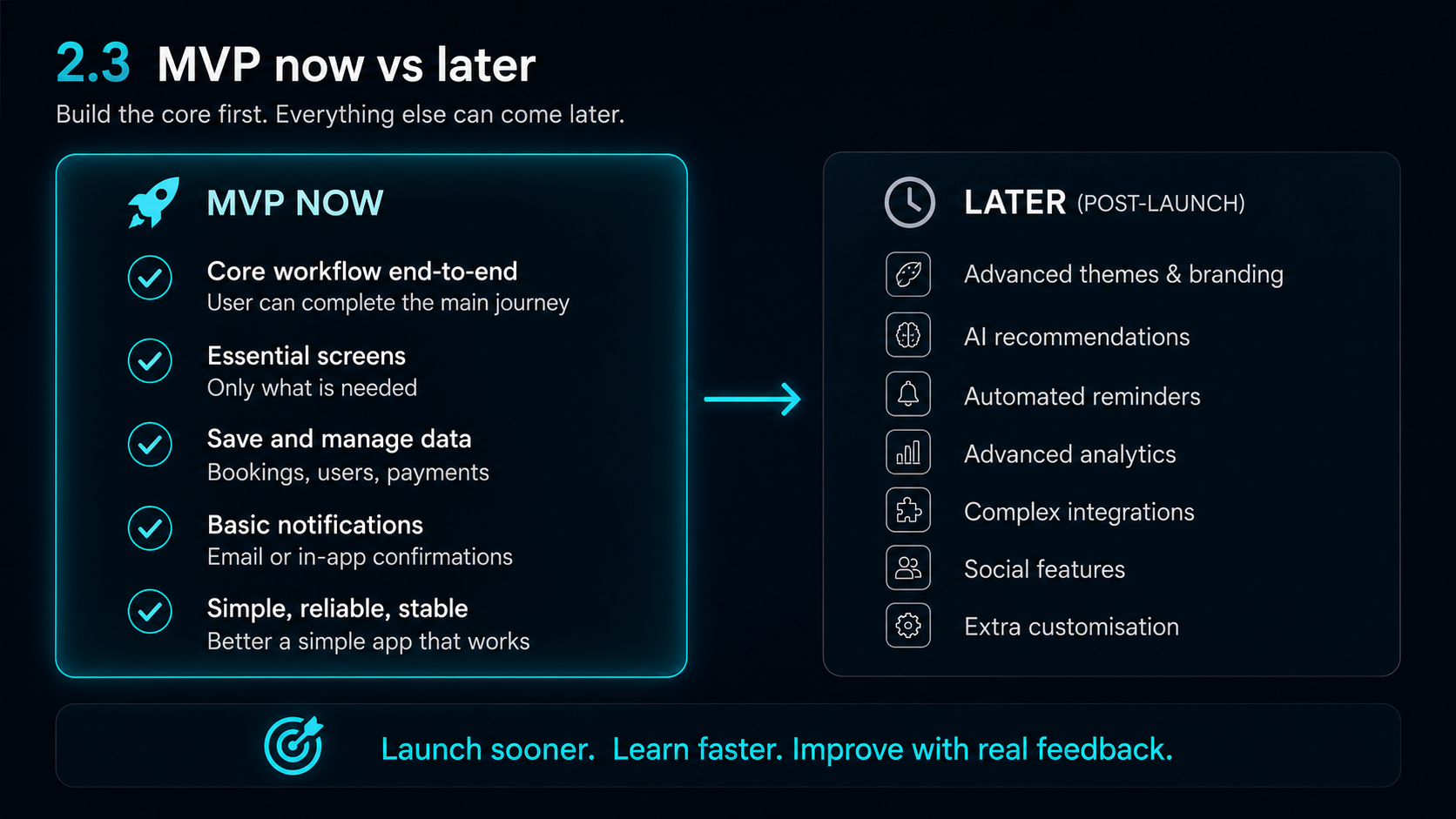
A first version should not include every possible feature. It should include the features required for the main workflow to work.
The “MVP now” list should contain the core journey, essential screens, data saving, basic settings and the minimum support needed for the user to complete the main task.
The “later” list can contain advanced themes, AI recommendations, automated reminders, advanced analytics, social features, complex integrations or extra customisation.
That does not mean those ideas are bad. It means they should not distract from the first stable version.
Do basic market research
Market research does not need to be complicated at the early stage.
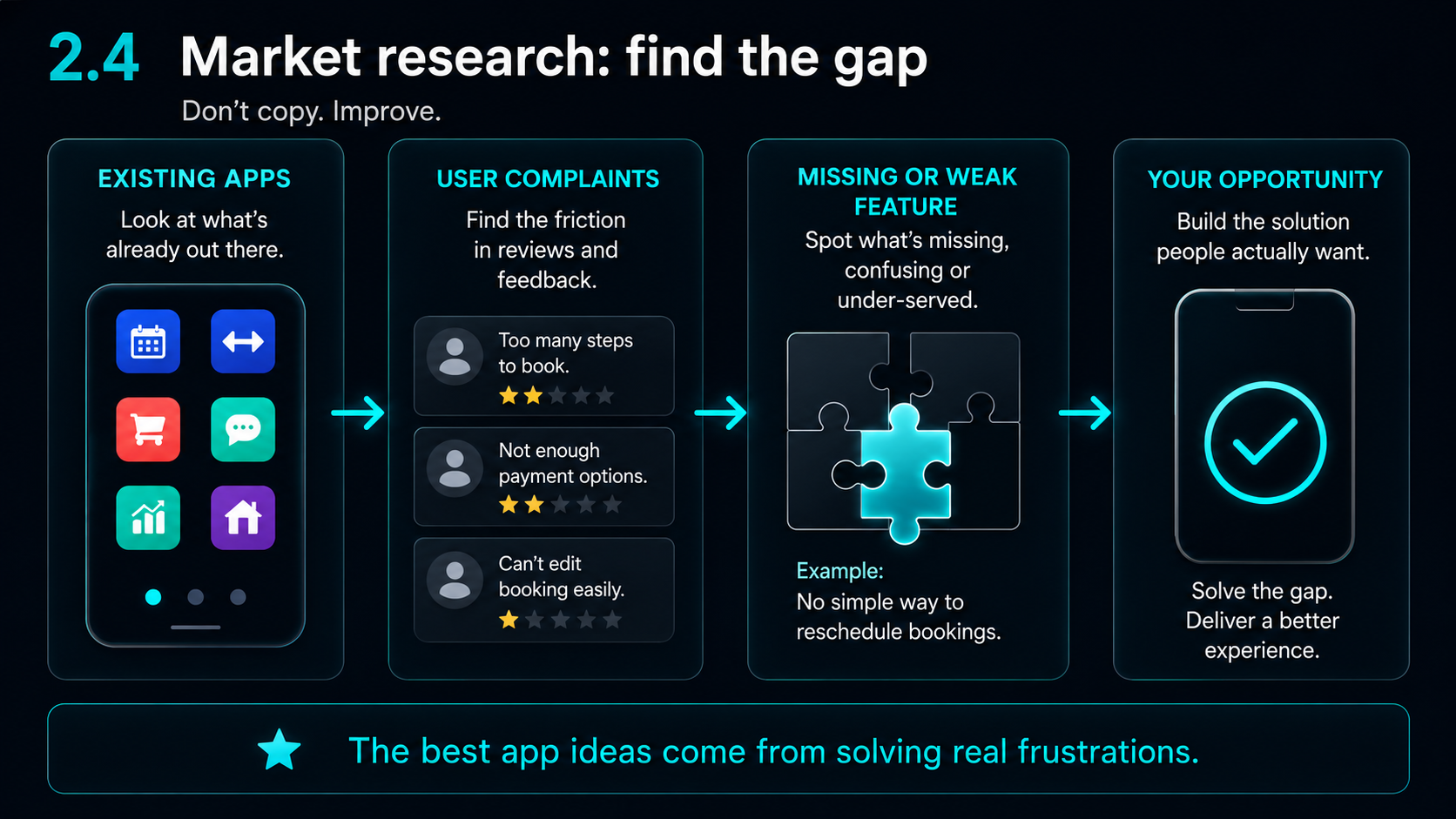
The question is not only “does this already exist?”
What do people dislike about the existing options?
That is where useful app ideas often appear. Market research is not about copying competitors. It is about finding gaps, weak points and underserved user needs.
- 1What already exists
- 2What users complain about
- 3What features are missing
- 4What feels overcomplicated
- 5How competitors price their product
- 6Whether users are pushed into subscriptions
- 7Whether privacy or account requirements feel unnecessary
The SetHarbour example
For SetHarbour, the MVP needed to support the core training flow.
The app needed to let users create or choose a plan, log exercises, save sets, reps and weight, review workout history and use interval timing.
That was the important workflow.
Other ideas could come later, such as extra themes, deeper insights, more preset plans, voice prompts or AI-assisted features.
The MVP did not need to be the final version. It needed to be a working, stable version that could be tested properly.
Think about edge cases early
A workflow is not complete until you consider what happens when things go wrong.
Examples include:
These details often decide whether an app feels usable in real life.
A good MVP is not just a smaller product. It is a stable product with a focused purpose.
Key takeaway
A clear MVP workflow stops the app from becoming too broad too early.
Before asking AI to build anything, define the user journey, the must-have features, the edge cases and the first version worth testing.
The best first version is not the biggest version. It is the smallest version that can prove the core value.
Previous guide
Previous guide: Finding the Right Problem to Solve Before Building an App
Read previous guideNext guide
Next guide: Using AI Tools to Build, Test and Refine an App
Once the workflow is clear, AI tools can help with planning, UI ideas, code support, testing and refinement - but only if the build process stays controlled.
Read the next guidePractical support
Need help shaping an app workflow?
Harbour Apps can help small teams, founders and organisations turn rough ideas into clearer workflows, screens, testing plans and launch-ready direction.
Build With Us