Using AI Tools to Build, Test and Refine an App
AI tools can make app building faster, but they do not remove the need for planning, testing and careful judgement.
The aim is not to build the perfect app in one prompt. The aim is to move carefully from idea, to working version, to stable product.
AI can help at many stages, but you still need to stay in control of the product, the workflow, the quality bar and the final decisions.
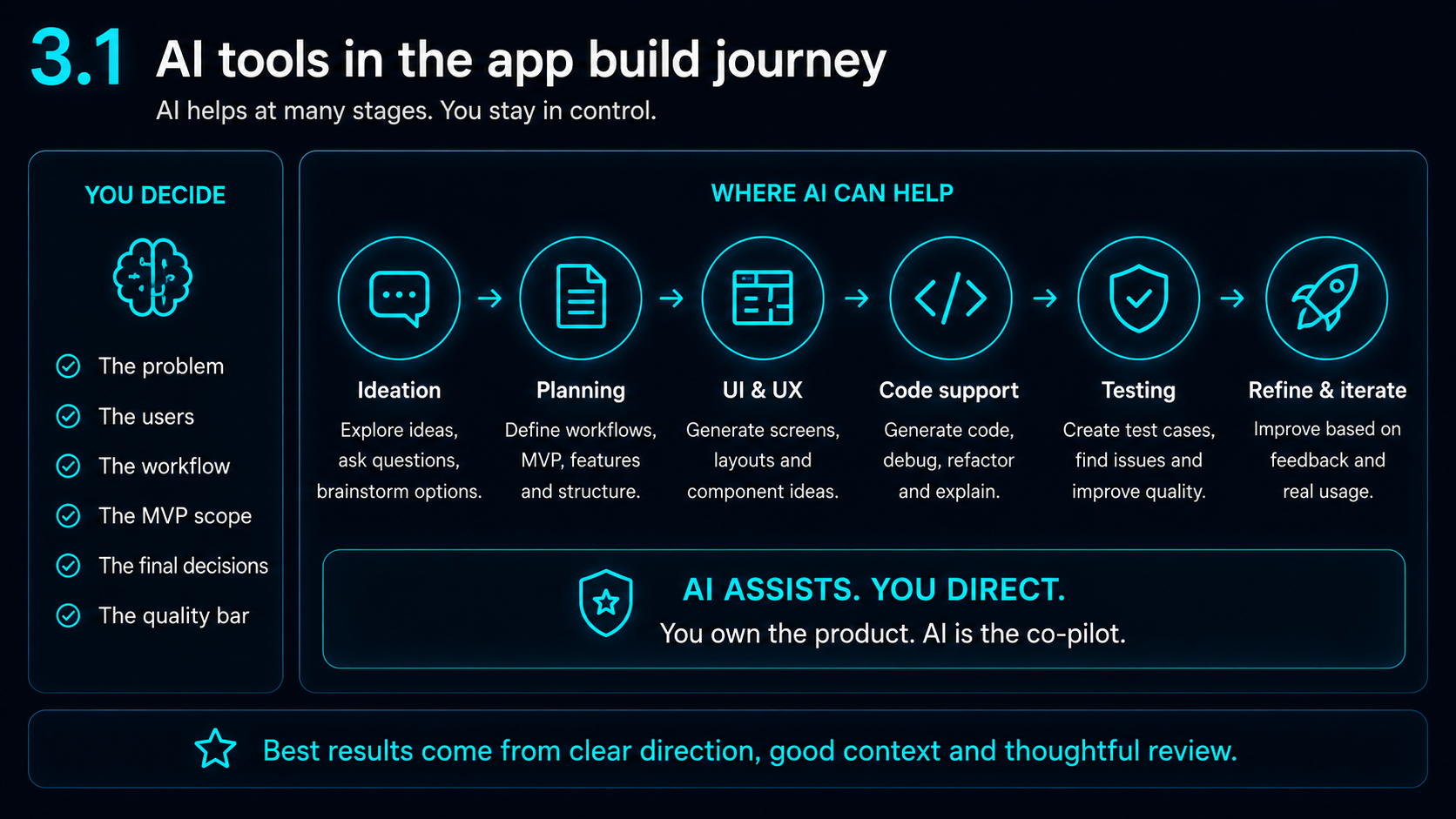
AI can speed up the build, but it can also speed up mistakes
AI is powerful when the task is clear. It can help with planning, code, debugging, design direction, content, testing checklists and launch preparation.
But it can also misunderstand the current code, add unnecessary complexity, break working features, change unrelated UI, suggest code that looks right but does not work, or forget previous constraints.
That is why a controlled build process matters.
The better the problem, workflow and MVP are defined, the more useful AI becomes.
Use different tools for different strengths
Different AI tools are useful at different stages.
ChatGPT / OpenAI can be useful for exploring ideas, breaking down problems, troubleshooting, generating prompts, creating images or app assets, and helping with difficult implementation details.
In my own experience, it helped with complex UI ideas such as the gold rotating border on the SetHarbour home page and the scrolling message component.
Claude can be useful for longer code reasoning, reviewing larger files, refactoring and working through implementation steps. It is often helpful when you need a detailed explanation of what should change and why.
V0 is a powerful tool for quickly building foundations, especially for web layouts, React/Tailwind prototypes and early interface ideas. In my own workflow, V0 helped create the foundation for the Harbour Apps website and an early skeleton for SetHarbour before continuing the work locally.
VS Code and Flutter are also part of the real build process. AI tools can suggest changes, but the app still needs to be edited, organised, run, tested and checked in a practical development environment.
Idea and direction
Explore workflows, prompt structure, UI direction and problem framing.
Deep reasoning
Review larger files, trace complex bugs and think through implementation changes carefully.
Real build environment
Run the code, test the app, keep the structure tidy and confirm the product actually works.
Good prompts get better results
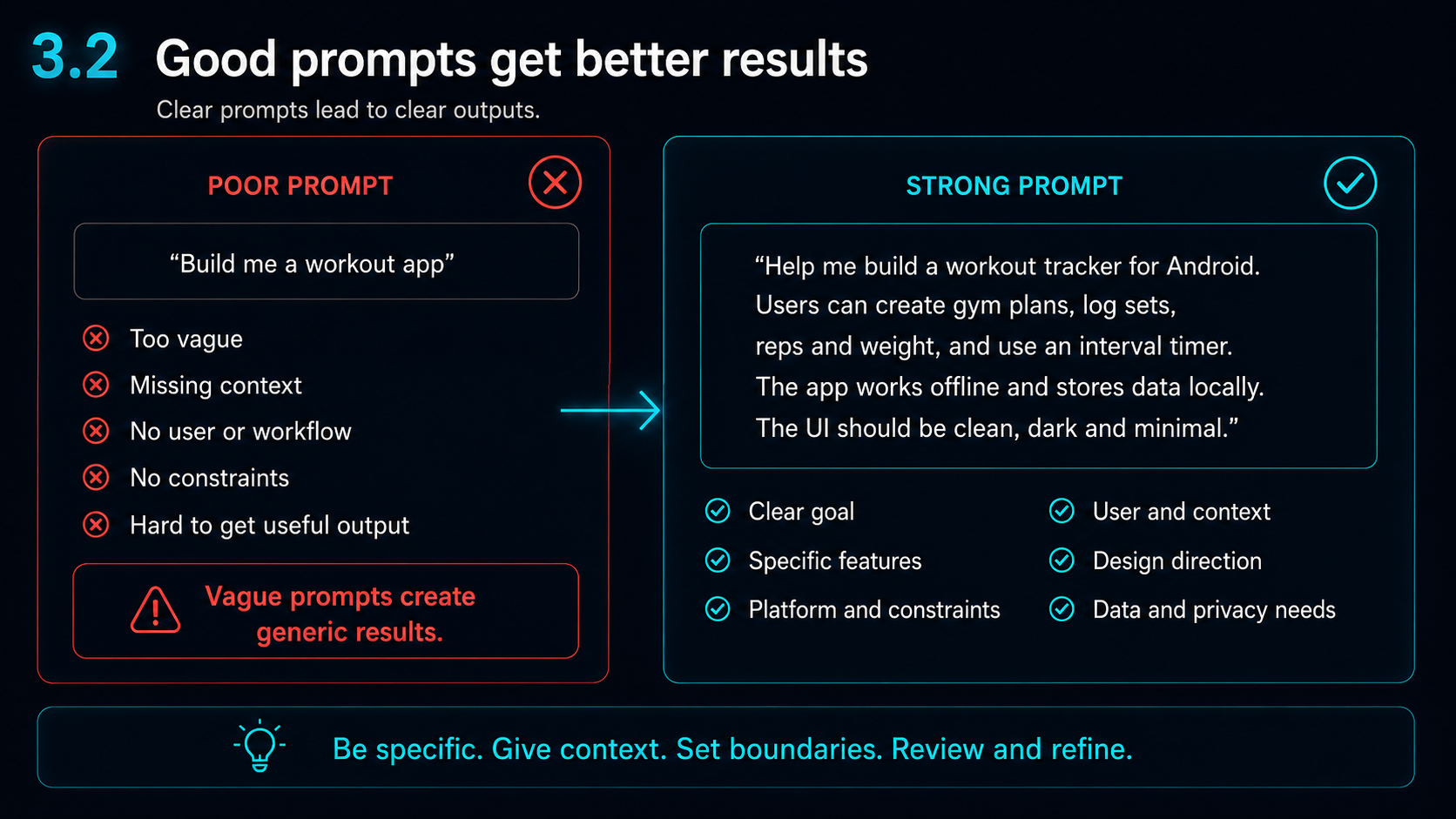
AI output depends heavily on the quality of the instruction.
A vague prompt such as “build me a workout app” gives the AI too much room to guess. It does not explain the user, the platform, the workflow, the privacy requirements, the design direction or the constraints.
A stronger prompt gives the AI a clearer job.
It might explain that the app is for Android, that users need to create gym plans, log sets, reps and weight, use an interval timer, work offline and store data locally.
That context helps the AI produce something more useful.
Usage limits can be hit quickly
When building seriously, AI usage limits can be reached faster than expected.
This can happen when you are reviewing large files, debugging repeated issues, generating images or assets, asking for step-by-step code changes, testing several versions of a feature, or creating website and app content.
Using more than one AI tool can help balance the workload without immediately needing higher and more expensive tiers.
However, there is a risk. If each AI gets different context, they may give conflicting advice. Keep one clear source of truth for the project, the current version and the goal.
Keep AI output focused and on track
AI can drift if the instruction is too broad.
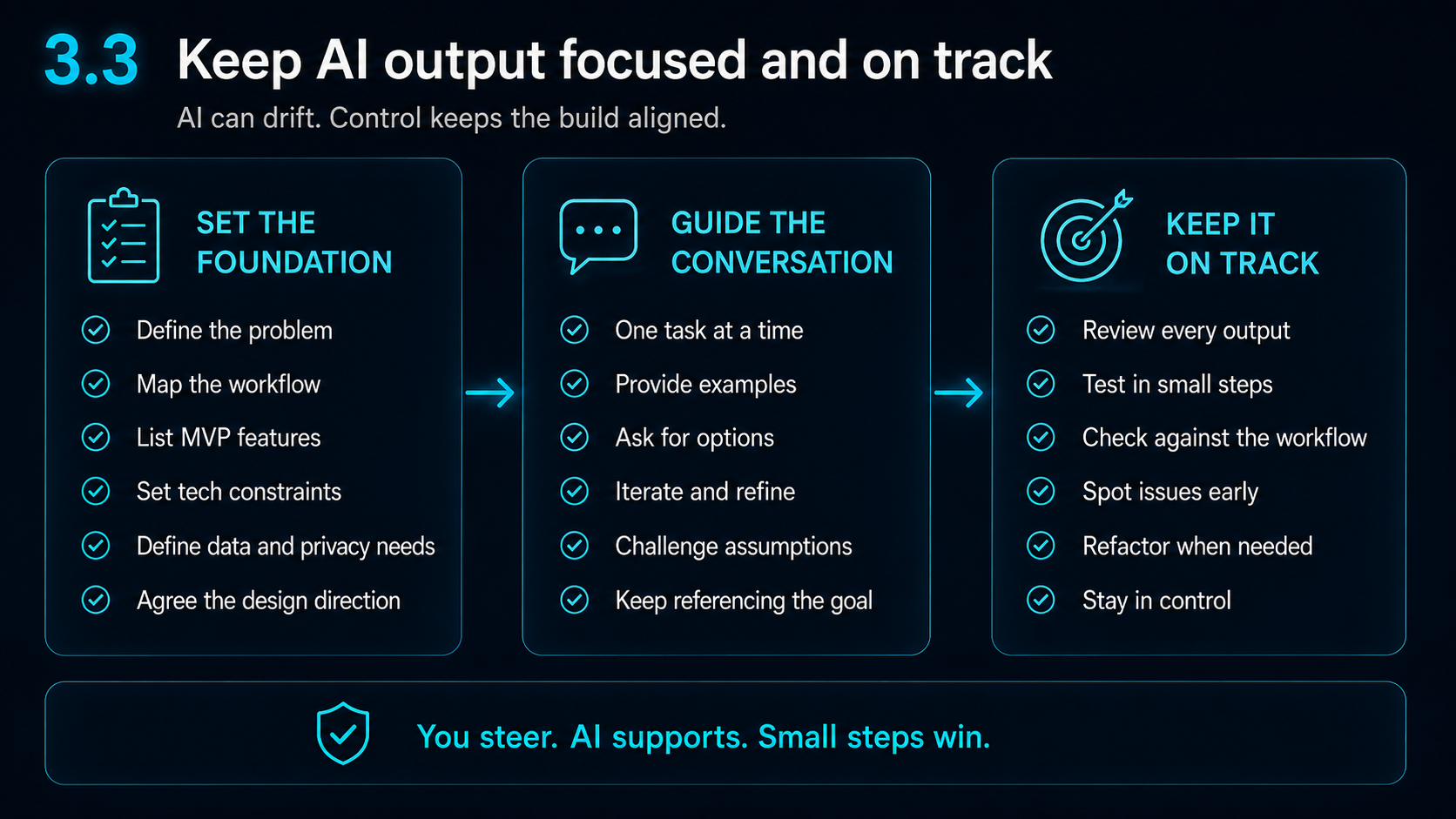
A useful pattern is to set the foundation, guide the conversation and then keep the output on track.
Set the foundation by defining the problem, mapping the workflow, listing MVP features, setting technical constraints, defining data and privacy needs and agreeing the design direction.
Guide the conversation by giving one task at a time, providing examples, asking for options, iterating and challenging assumptions.
Keep it on track by reviewing every output, testing in small steps, checking against the workflow, spotting issues early, refactoring when needed and staying in control.
- 1Build a working version
- 2Test it
- 3Save it
- 4Improve one area
- 5Test again
- 6Repeat
Build stable before perfect
A common mistake is trying to perfect everything too early.
A better approach is:
Do not keep adding features if the basic flow is unstable.
A simple, reliable app is better than a visually impressive app that breaks when the user follows the main journey.
Backups and version control matter
When using AI, backups are not optional.
Before major changes, save a working version, use Git or version control where possible, keep notes on what changed, avoid large uncontrolled rewrites and test after each important change.
If AI breaks something, a backup or Git commit gives you a way back.
This is especially important when the app has reached a working state.
From AI output to real app value
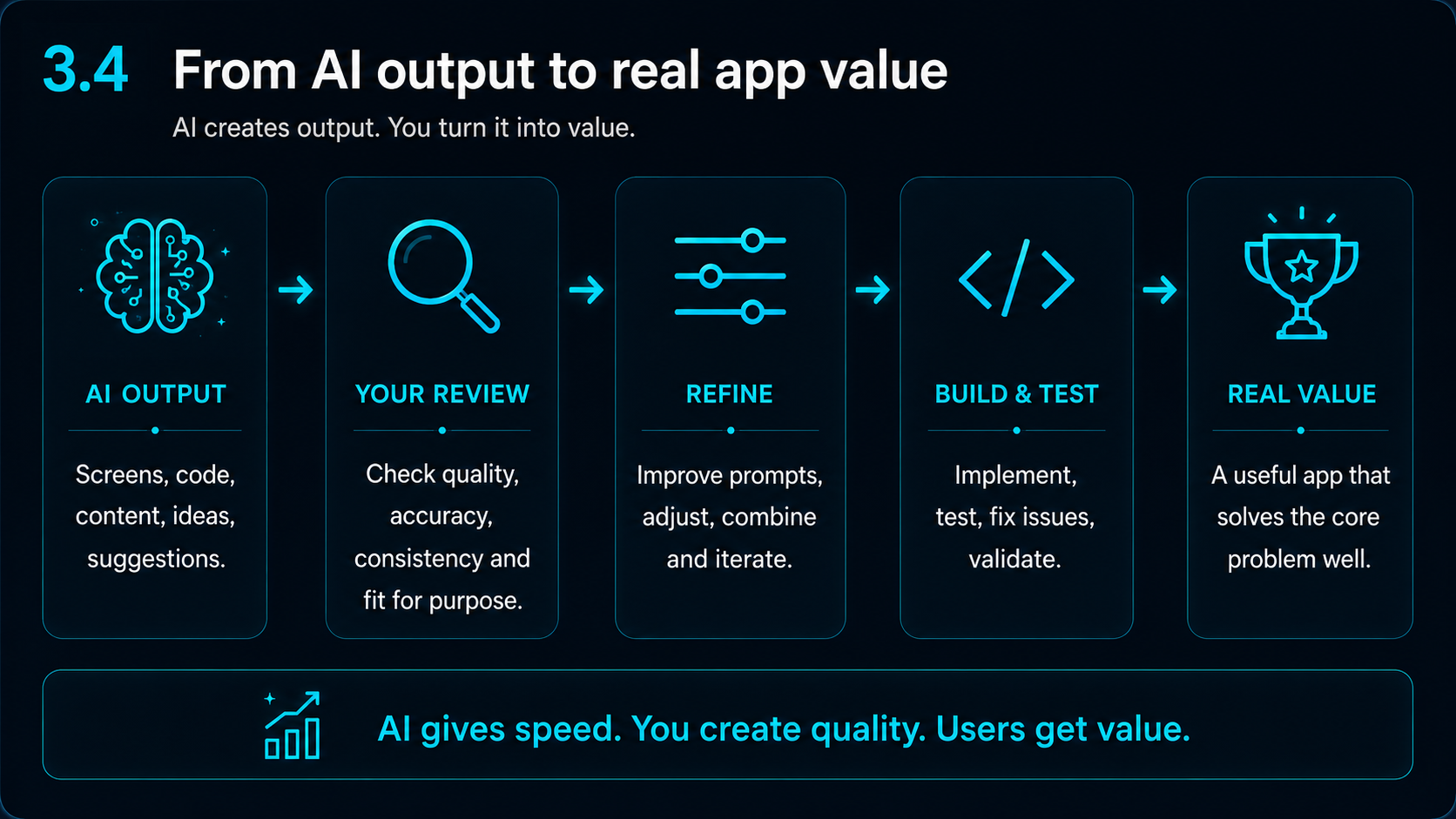
AI can create output quickly, but output is not the same as value.
The real value comes when you review the output, refine it, test it, adapt it to the actual app and make sure it solves the core problem properly.
AI might help create screens, code, content, ideas and suggestions. You still need to check quality, accuracy, consistency and fit for purpose.
Then the output can become part of a useful product.
Test like a real user
Testing should go beyond asking whether the app compiles.
Check:
For SetHarbour, this meant testing real training flows, timers, screen sizes, app state, privacy wording, Play Store preparation and how the app behaved on actual devices.
Key takeaway
AI can shorten the distance between idea and working product, but it does not replace controlled building.
Use AI for the right tasks, keep backups, test often, and aim for a stable app before chasing perfection.
The goal is not to keep asking AI for more features. The goal is to use AI carefully to move from idea, to working version, to stable product.
Next guide
Next guide: Scaffolding AI Prompts for Better App-Building Outputs
Once you are using AI tools regularly, the next step is learning how to give clearer instructions, set boundaries and avoid broad unwanted changes.
Read the next guidePractical support
Need help using AI to shape an app idea?
Harbour Apps can help small teams, founders and organisations turn rough app ideas into clearer workflows, screens, testing plans and launch-ready direction.
Build With Us