Scaffolding AI Prompts for Better App-Building Outputs
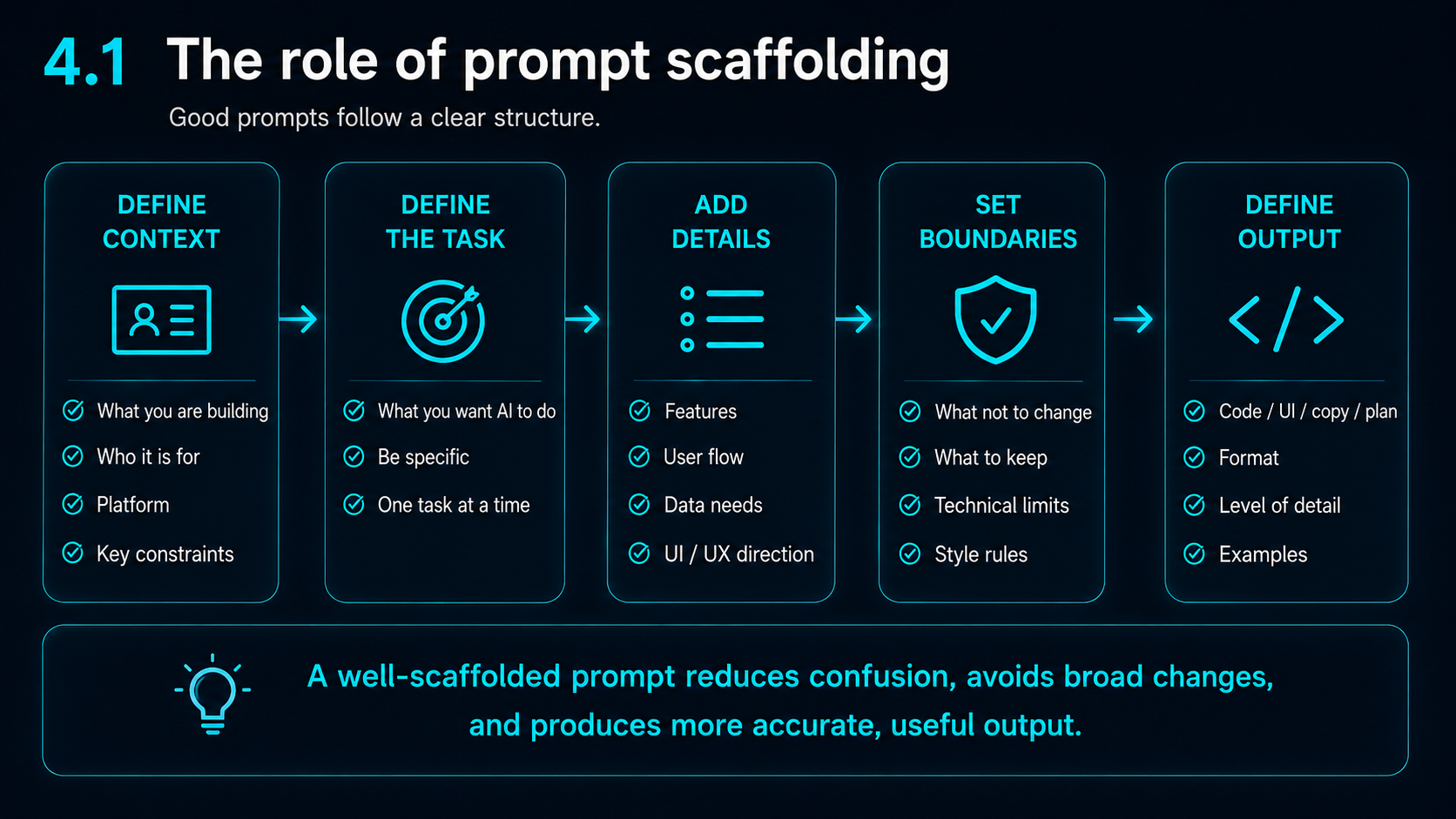
AI output depends heavily on the instruction it receives. A vague prompt may produce something that looks useful in isolation but fails in the wider app.
Better prompts give AI the goal, current state, destination, constraints and boundaries.
The aim is not to write longer prompts for the sake of it. The aim is to give AI the structure it needs to make useful, controlled changes.
Vague prompts create vague outputs
A vague prompt gives the AI too much room to guess.
For example:
“Fix the homepage layout.”
That might sound simple, but it does not tell the AI what is wrong, which screen size is affected, which file should change, what should stay the same, what the desired outcome is, or how the fix should be tested.
Without that information, AI may solve the wrong problem or change far more than you asked for.
Broad prompt versus scaffolded prompt
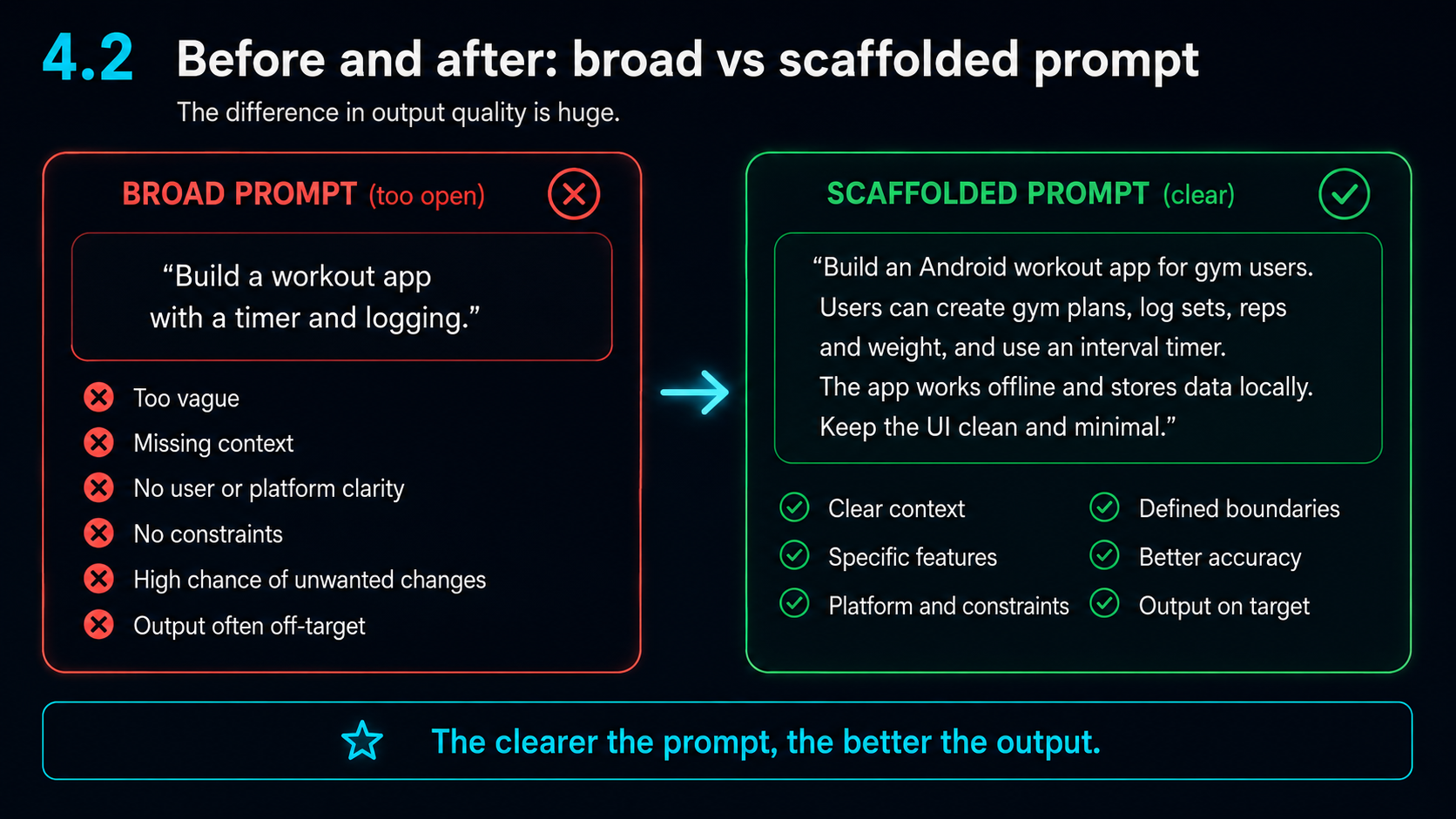
A broad prompt might say:
“Build a workout app with a timer and logging.”
That instruction gives the AI a general direction, but it does not explain the user, platform, workflow, privacy requirements, design style or boundaries.
A scaffolded prompt gives more useful context.
It might say:
“Build an Android workout app for gym users. Users can create gym plans, log sets, reps and weight, and use an interval timer. The app works offline and stores data locally. Keep the UI clean, dark and minimal.”
That version is still short, but it gives the AI a clearer direction.
The staircase analogy
Prompting AI is like giving instructions for building a staircase one section at a time.
If you only describe the next step, that step may look correct on its own. But unless you explain that each step must lead towards the second floor, the final staircase may never reach the destination.
The same thing happens in app development.
AI may complete the immediate instruction but miss the wider purpose of the feature, screen, user journey or existing design system.
A good prompt does not just say what to change. It explains where the change is meant to lead.
Scaffold your prompt with layers
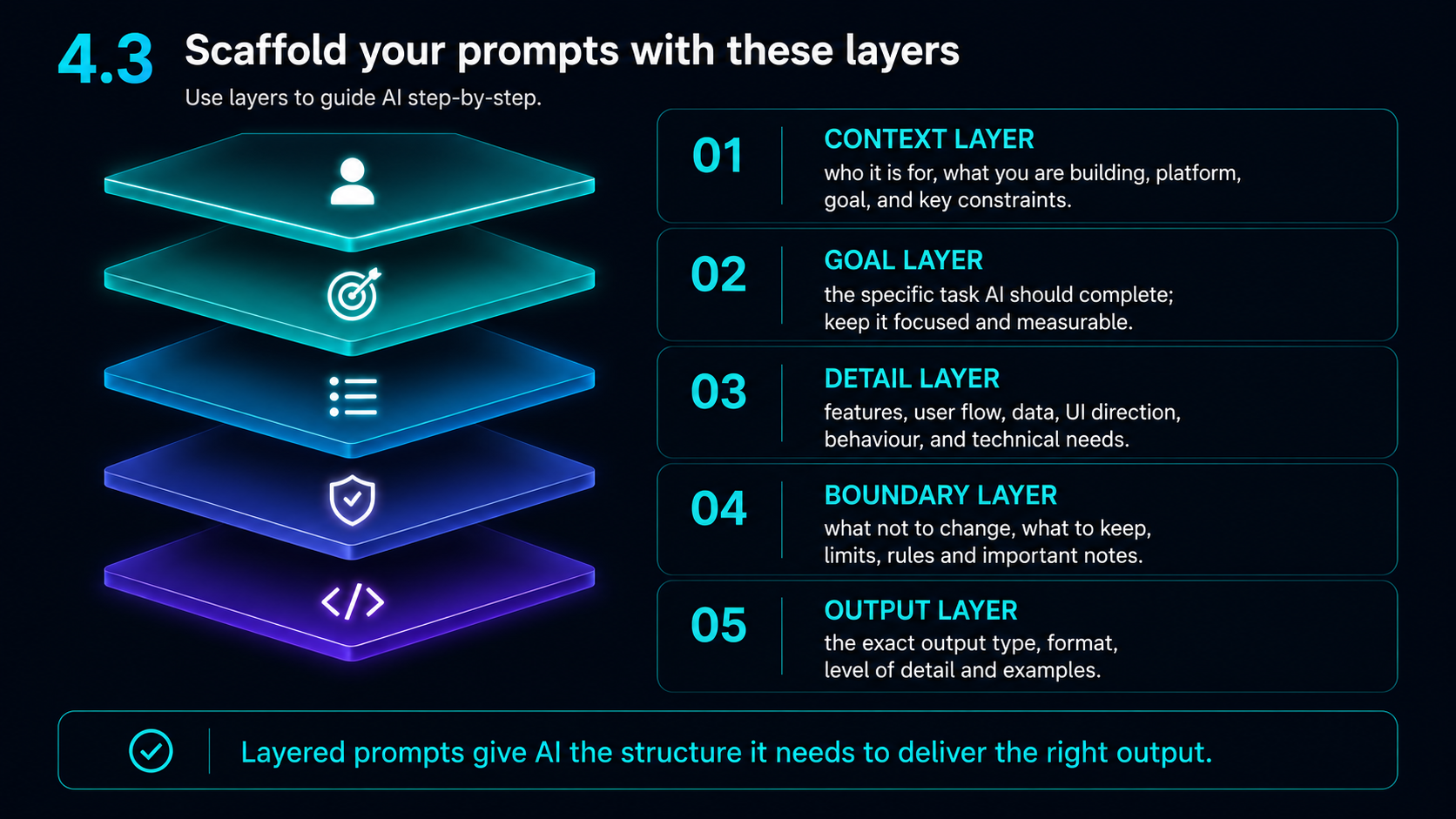
A strong prompt usually has layers.
The context layer explains what you are building, who it is for, the platform, the goal and the main constraints.
The goal layer explains the specific task the AI should complete.
The detail layer gives the features, user flow, data needs, UI direction, behaviour and technical requirements.
The boundary layer explains what not to change, what to preserve, what limits apply and which parts of the app must remain untouched.
The output layer tells the AI what format you want back, such as a full file replacement, a find-and-replace block, a short explanation or a testing checklist.
Tell AI what not to change
This is one of the most important habits when using AI for app or website development.
AI often tries to be helpful by improving more than you asked for. You may ask it to fix a small spacing issue and it may redesign the whole screen, change the UI style, move sections, rename components or break a working mobile layout.
Use clear constraints.
For example:
“Only change the spacing between the timer controls and the remaining-time counter. Do not change the timer logic, colours, button design, round display, image asset or responsive hiding behaviour.”
This protects the rest of the app.
Use one AI to help prompt another
One useful workflow is to use ChatGPT to turn a rough issue into a clearer prompt for Claude or another coding assistant.
For example, ChatGPT can help structure the request with the goal, context, files involved, security concerns, privacy concerns, what not to change, required output format and testing checks.
This can be useful when the issue is messy or when the next AI needs a precise implementation instruction.
However, the final prompt still needs human checking. AI-generated prompts can miss project-specific details.
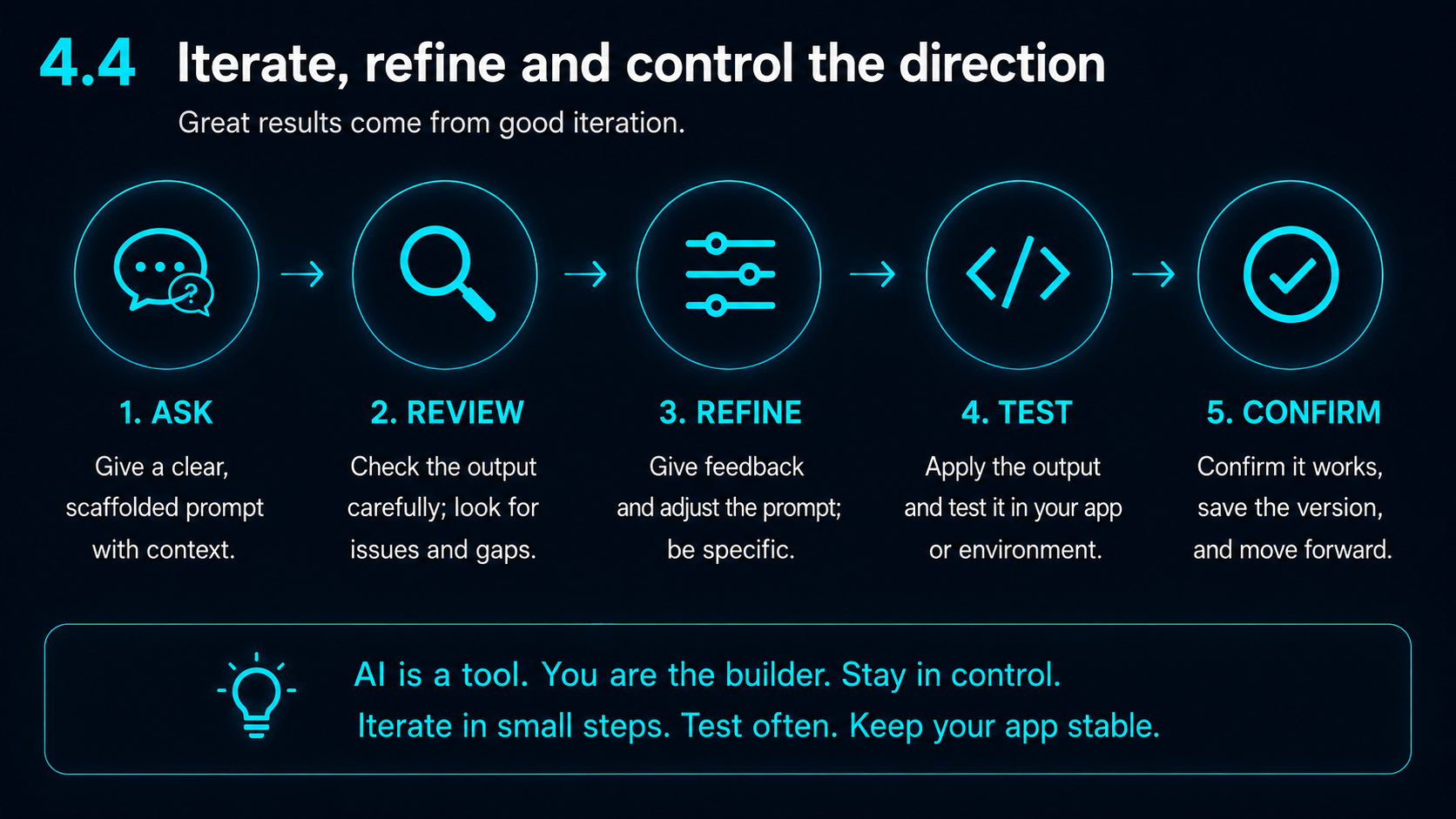
- 1Ask with clear context
- 2Review the output carefully
- 3Refine the instruction
- 4Test the result
- 5Confirm it works
- 6Save the version and move forward
Iterate, refine and control the direction
A strong AI workflow is not one prompt and done.
A better process is:
Small controlled steps are safer than broad uncontrolled changes.
AI is a tool. You are the builder. Staying in control means testing often, keeping the app stable and checking every output against the actual user journey.
A reusable prompt structure
A practical structure is:
Context: What app, page or feature are we working on?
Goal: What should change?
Current issue: What is wrong now?
Scope: Which file, screen or section should be changed?
Constraints: What must not change?
Output required: Do you want a full file replacement, find-and-replace block, explanation or test checklist?
Testing: What should be checked after the change?
This structure helps the AI understand both the task and the boundaries.
Example prompt
Context:
This is a Next.js/Tailwind website for Harbour Apps. The brand uses a dark navy and cyan style.

Goal:
Reduce the gap between the heading and hero image on the App Support page on mobile.

Current issue:
The hero image sits too far below the text on smaller screens.

Scope:
Only edit app/app-support/page.tsx.

Constraints:
Do not change the desktop layout. Do not change the page copy. Do not replace the hero image. Do not alter the navigation or footer.

Output:
Give me the exact className changes and explain what to test.

Testing:
Check desktop, tablet and mobile widths. Confirm the image is not distorted and the CTA buttons still align properly.
Common AI prompt problems
Watch for:
Good prompting does not remove every risk, but it reduces the chance of broad, unwanted changes.
Key takeaway
AI needs more than an instruction. It needs a clear goal, flow, scope and boundaries.
The better the prompt, the more likely the output will support the actual app rather than just solve an isolated task.
A good prompt explains the next step and the destination.
Practical support
Need help turning an app idea into a clearer plan?
Harbour Apps can help small teams, founders and organisations turn rough app ideas into clearer workflows, screens, testing plans and launch-ready direction.
Build With Us